
Account, privacy & plans
Account, e-mail and password
In Settings → Account you change your name, e-mail and password, and sign out.
- Confirming your e-mail – after signing up you get a link. Until you confirm, the app works normally; we just don't send summaries and the subscription cannot be paid. Request a new link with Send the link again.
- Changing the e-mail – enter the new address and your password. The new address gets a confirmation link, the old one a notice. Your current e-mail stays until you open the link.
- Changing the password – you are signed out on all other devices.
Forgot your password: on the sign-in screen tap Forgot your password? → you get an e-mail with a link valid for 60 minutes. If you do not see it, check the Spam / Promotions folder.
Appearance and language
Settings → Appearance & language: System, Light or Dark theme and the language SK / EN. The language is saved to your account, so notifications and e-mails use it too.
New app version
When we release a new version, A new version of Spotrebio is available appears at the top – tap Reload. The version number is at the bottom of Settings.
Without internet
Lists you have opened before are shown without a connection too. Used up / Thrown away and shopping-list changes are saved on the phone and sent automatically when you are back online – the bar at the top shows how many are waiting. Nothing is saved twice, even if the connection drops while sending.
Privacy and your data
In Settings → Privacy & data you will find:
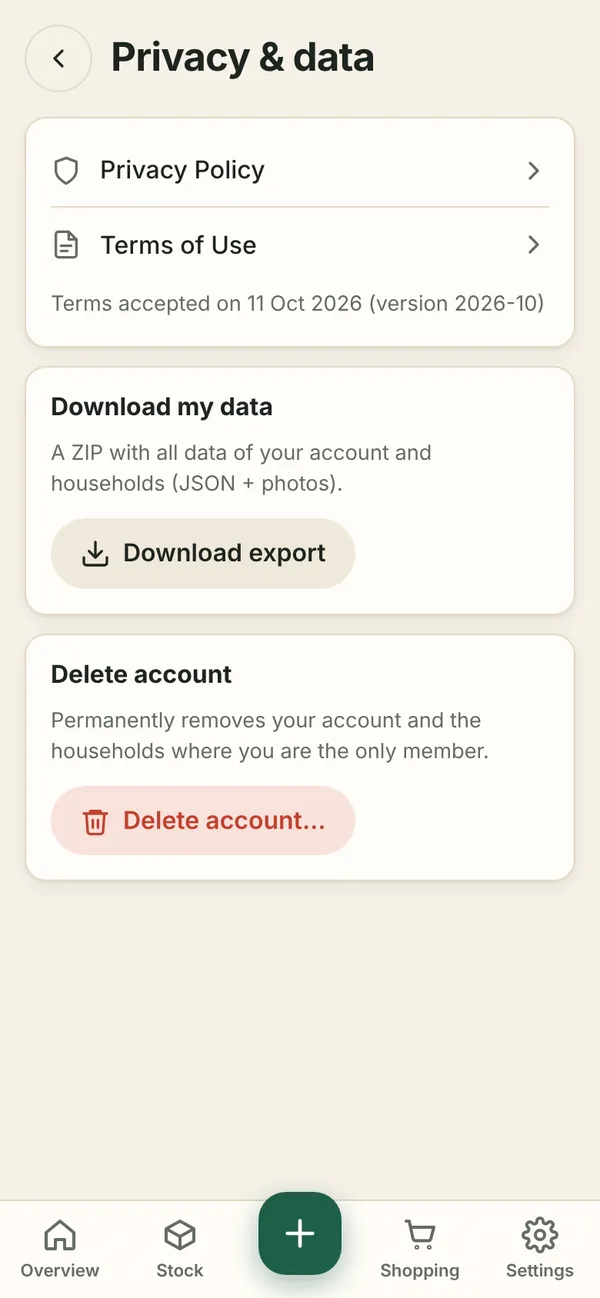
- Download export – a ZIP with all data of your account and the households you are a member of:
data.json(machine-readable) and a folder with photos. - Delete account – permanently removes the account. Households where you are the only member are deleted with their content; in shared households the food stays for the other members. This cannot be undone.
- The Privacy Policy and the Terms of Use.
Spotrebio uses no advertising or analytics cookies – only one essential cookie to keep you signed in.
Plans
| Free | Premium | |
|---|---|---|
| Households you own | 1 | unlimited |
| Household members | 2 | unlimited |
| Storage places | 4 | unlimited |
| Receipt imports per month | 3 | unlimited |
| Food-waste statistics | current month | last year |
| Barcode scanning, reminders, shopping list | ✓ | ✓ |
- Premium applies to the whole household – one member (the owner) pays for everyone.
- The subscription is monthly or yearly, paid by card via Stripe. In the payment form you tick your agreement with the terms and with Premium starting right away (if you withdraw within 14 days, you pay only a proportional part). It is managed in Settings → Plan → Manage subscription (change card, invoices, cancel).
- After cancelling, Premium lasts until the end of the paid period. Then nothing is deleted – you just cannot add more above the limit (for example another place).